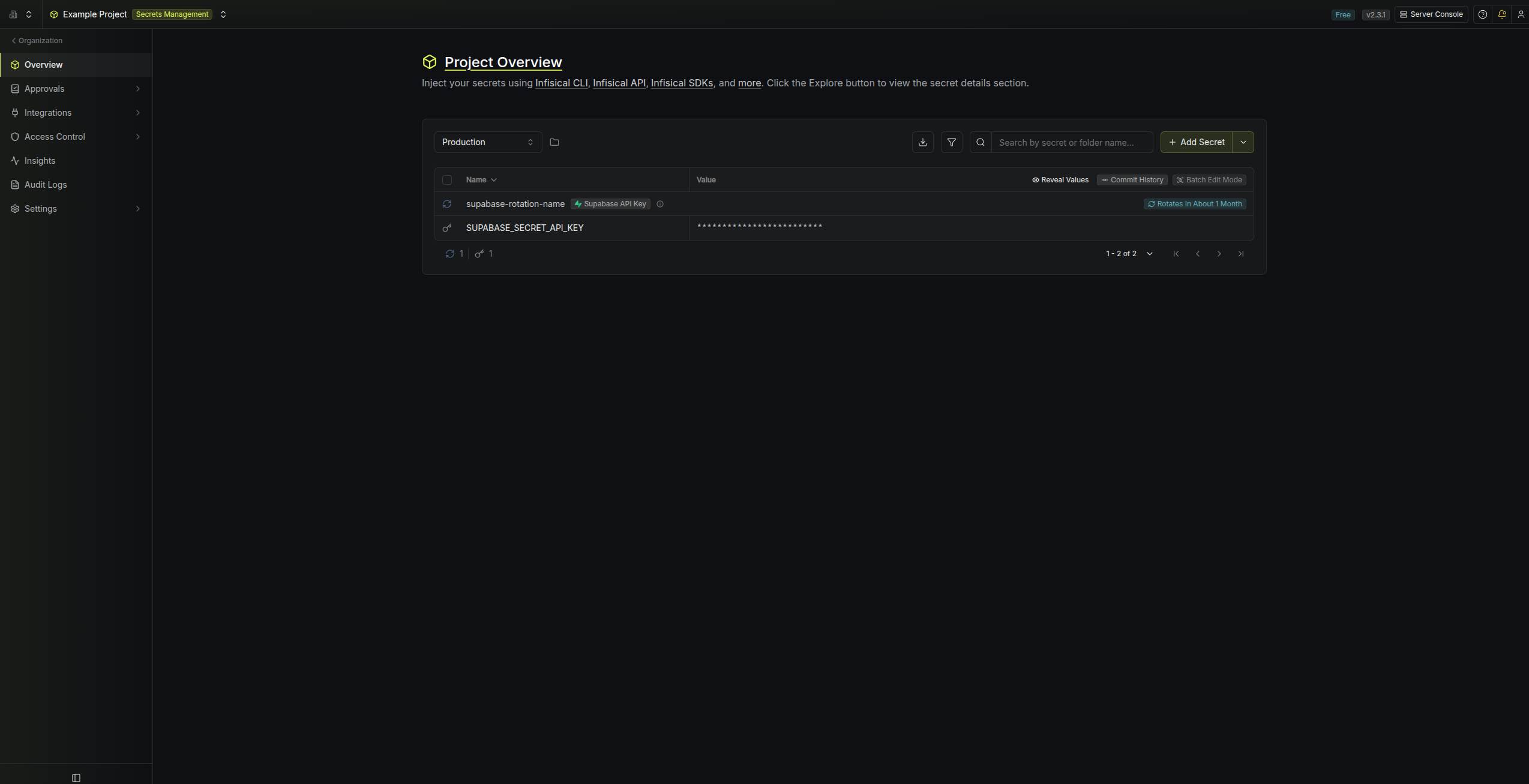
Rotation Type: Dual-PhaseThis rotation maintains two active credential sets with overlapping validity, ensuring zero-downtime during rotation cycles.
Prerequisites
- Create a Supabase Connection. That connection is used to create and delete API keys on your behalf during rotation.
Create a Supabase API key rotation in Infisical
- Infisical UI
- API
-
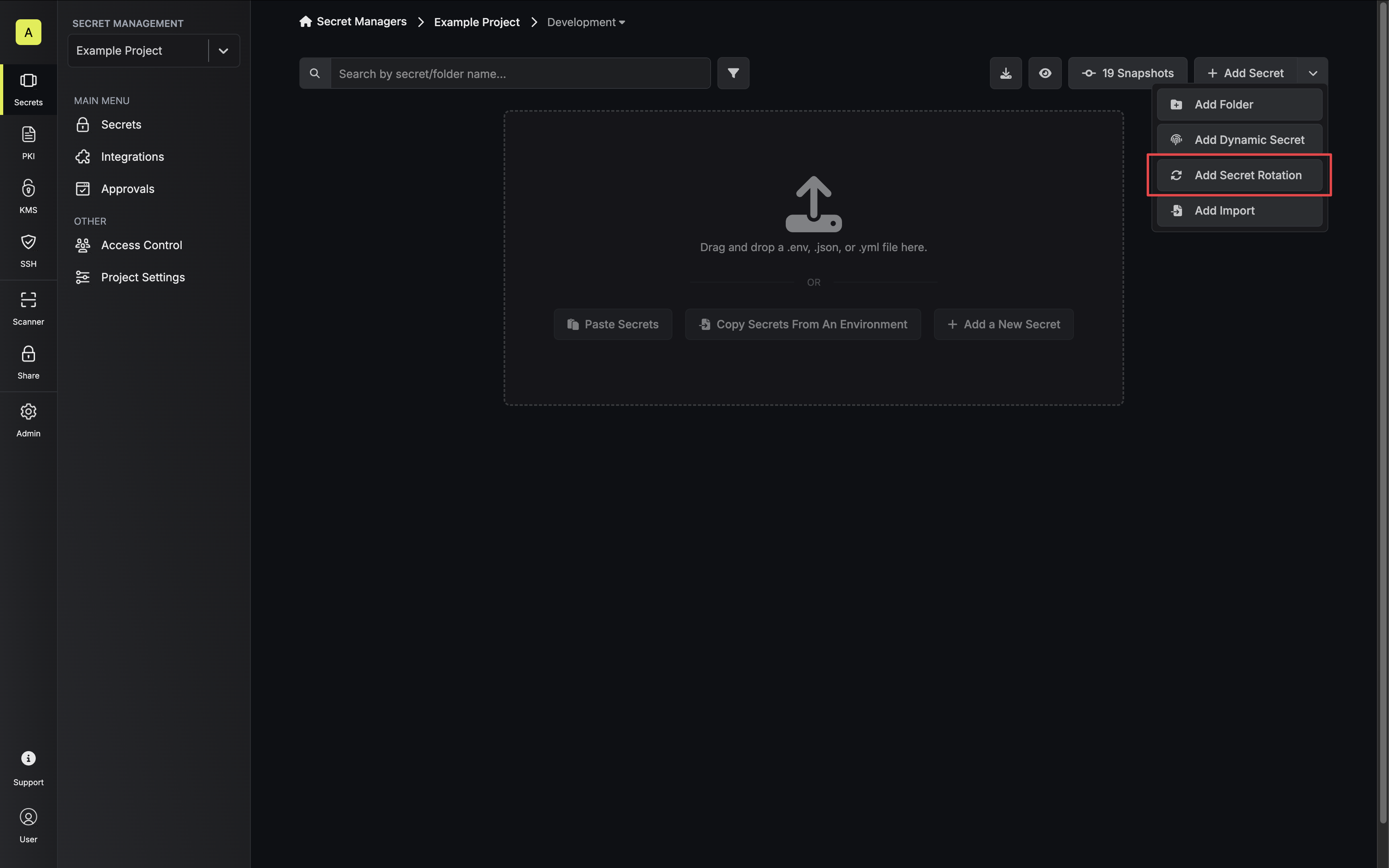
Navigate to your Secrets Manager Project’s Dashboard and select Add Secret Rotation from the actions dropdown.
-
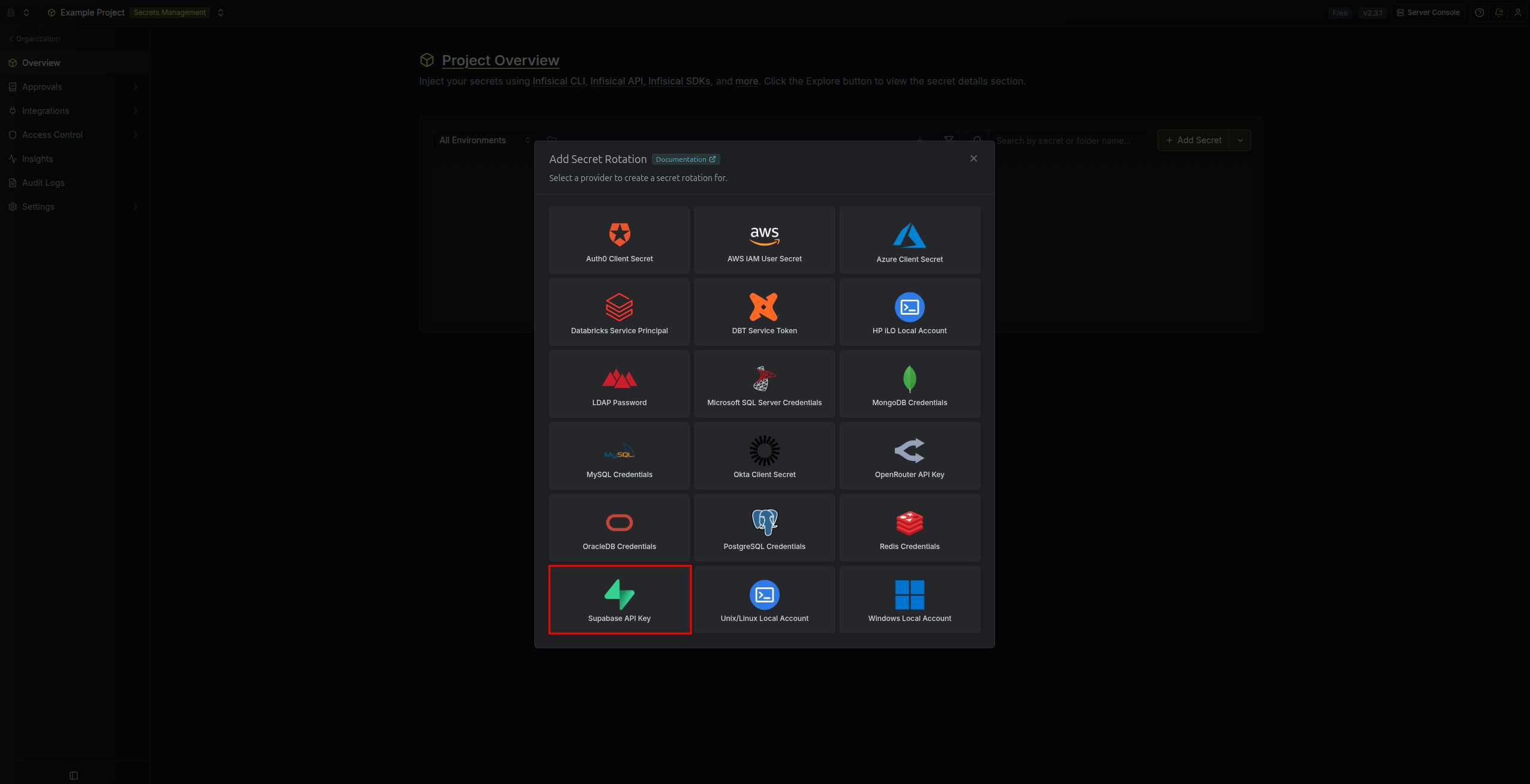
Select the Supabase API Key option.
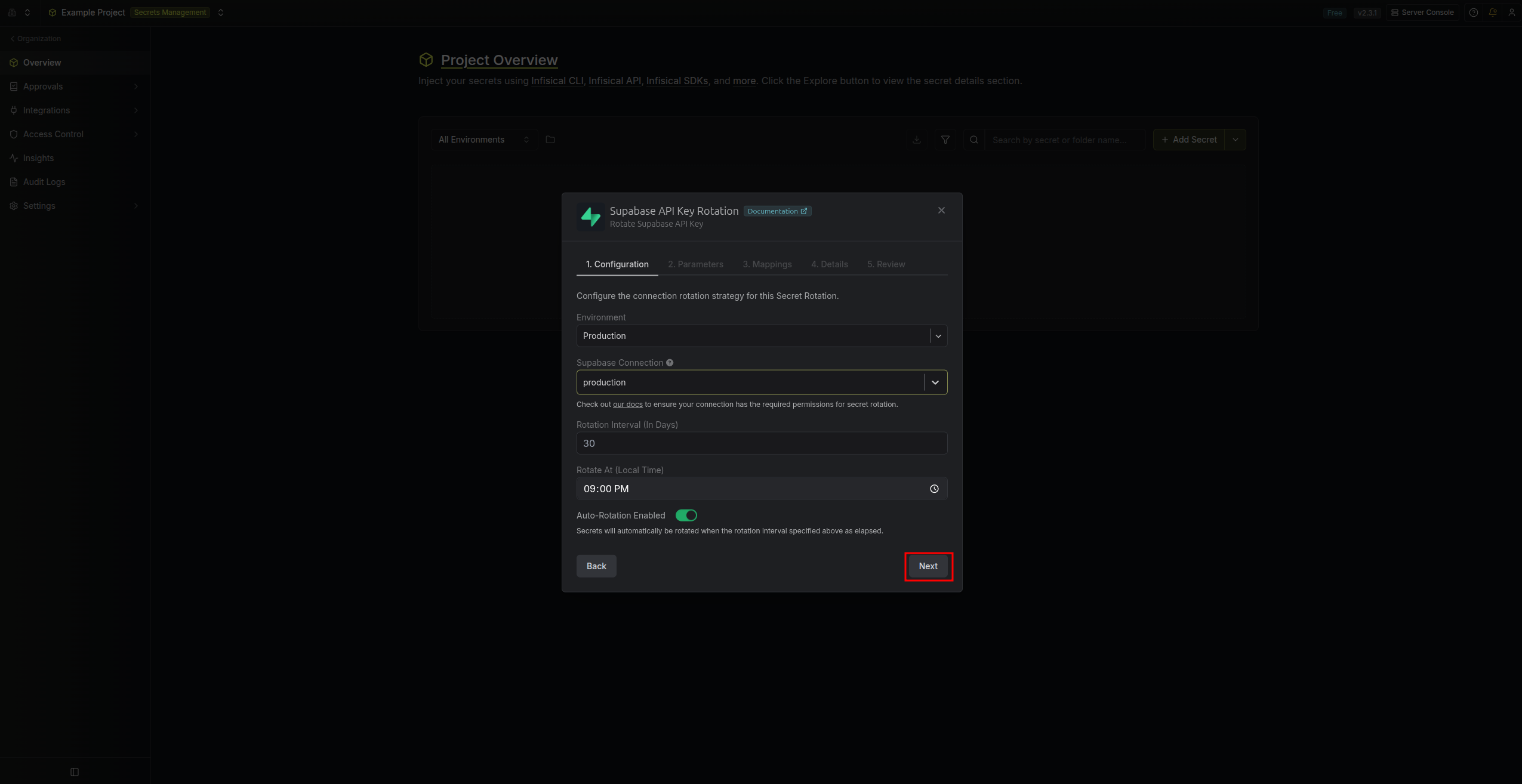
- Configure the rotation behavior, then click Next.
- Supabase Connection – The connection that will create and delete API keys during rotation.
- Rotation Interval – The interval, in days, after which a rotation is triggered.
- Rotate At – The local time of day when rotation runs once the interval has elapsed.
-
Auto-Rotation Enabled – Whether to rotate automatically on the interval. Turn off to rotate only manually or pause rotation.
- Set the Supabase API key parameters, then click Next.
- Project – The Supabase project to rotate the API key for.
- Key Type – The type of the API key to rotate:
-
publishable– The publicanonkey, safe to expose in client-side code. It is used with Row Level Security (RLS) policies to control per-user access. -
secret– Theservice_rolekey, which bypasses RLS entirely and has full access to your project’s data. Must be kept server-side only.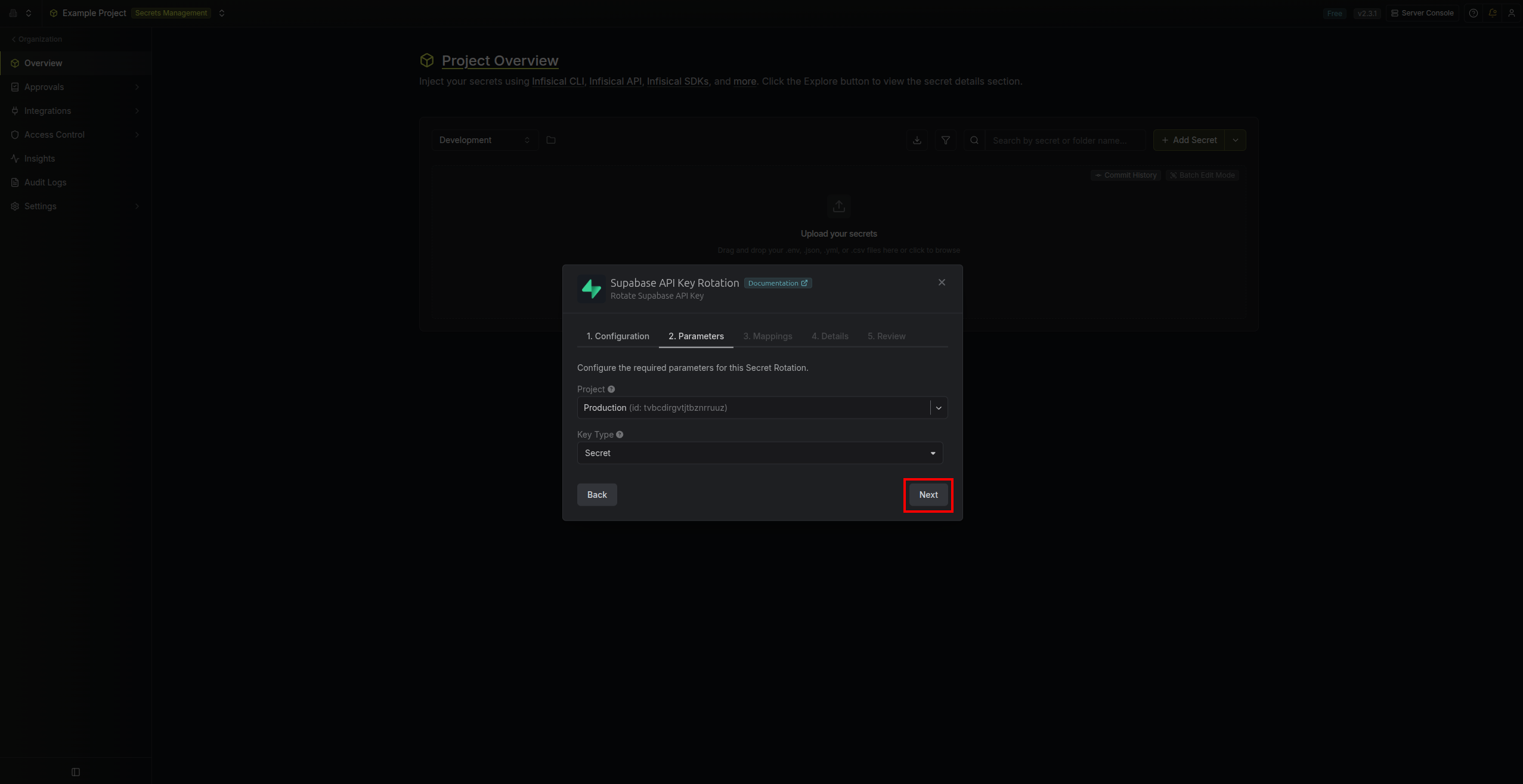
-
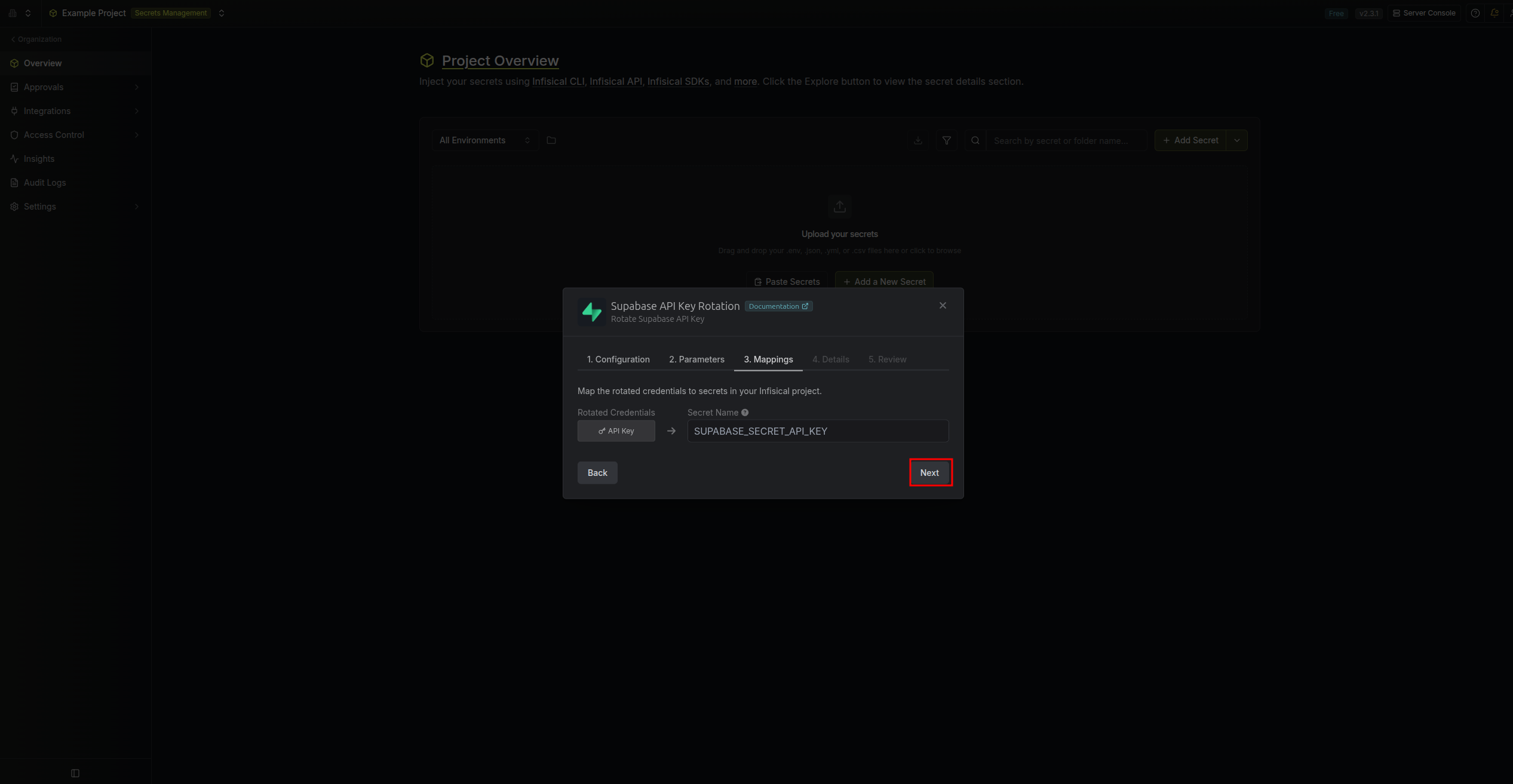
- Specify the secret name that the rotated API key will be mapped to. Then click Next.
-
API Key – The name of the secret in Infisical where the rotated API key value will be stored.
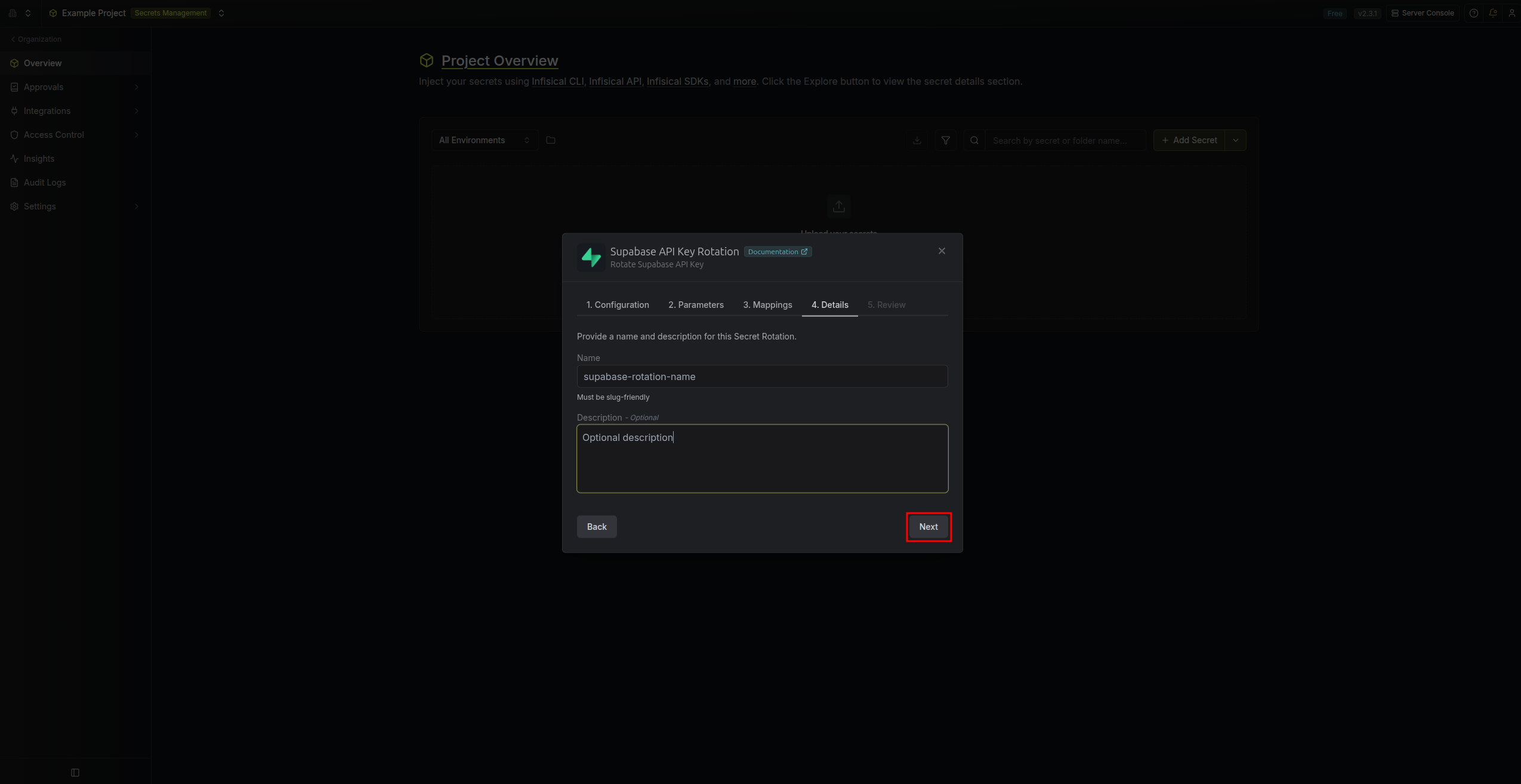
- Give your rotation a name and description (optional). Then click Next.
- Name – A slug-friendly name for this rotation configuration.
-
Description (optional) – Notes about this rotation.
-
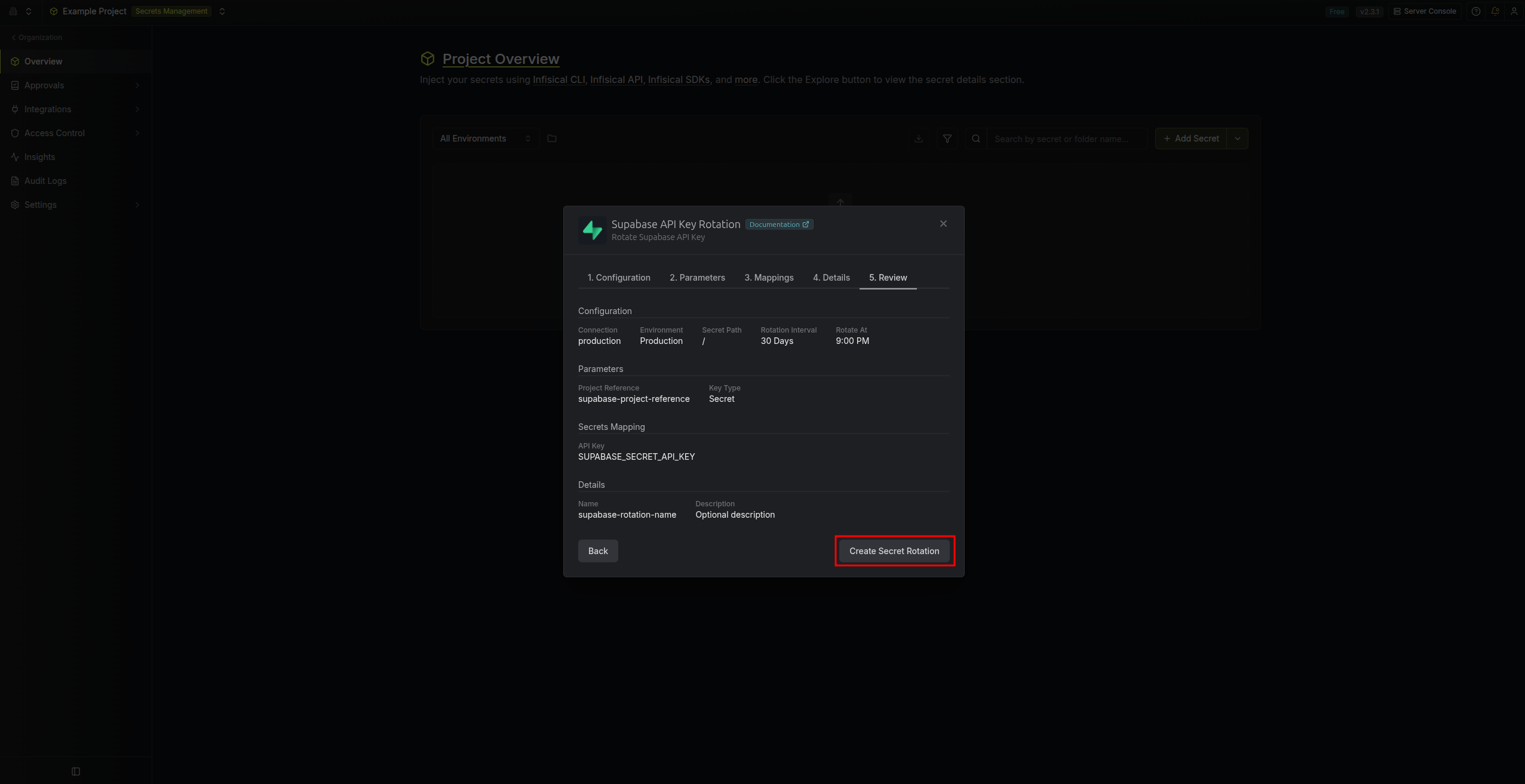
Review your configuration, then click Create Secret Rotation.
-
Your Supabase API Key rotation is created. The current API key is available as a secret at the mapped path. Rotations will create a new key, switch the active secret to it, then revoke the previous key for zero-downtime rotation.