

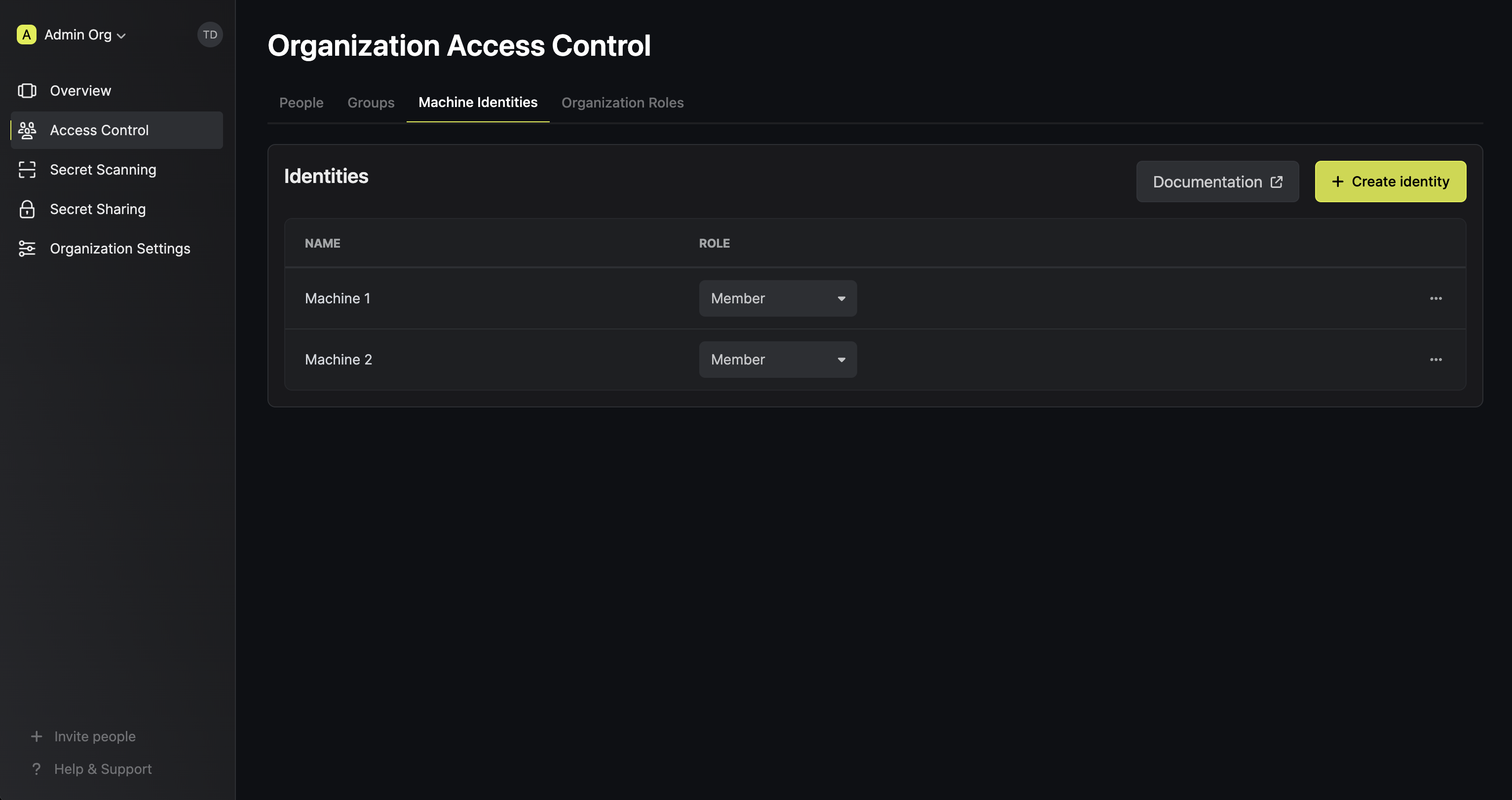
Organization and project identities
You can create a machine identity either in an organization or in a project. Both work the same way, except for where you manage them and what they can access:Set up a machine identity
- Project identity
- Organization identity
1
In your project, go to Access Control > Machine Identities and create an identity with a name and a role. You can pick a role that Infisical includes, such as Viewer for read-only access, or a custom role.
2
Set up the auth method that matches where your workload runs, such as AWS Auth for a workload on AWS.
Infisical adds Universal Auth to each new identity. To log in with Universal Auth, create a client secret. If you use a different auth method, you can remove Universal Auth from the identity.
3
From your workload, log in with the auth method to get a short-lived access token.
4
Send the access token with each request to the Infisical API.
Authentication methods
A machine identity logs in to Infisical with an auth method. Pick the auth method that matches where your workload runs:Identity lockout
Lockout protects Universal Auth and LDAP Auth from brute-force attacks. By default, after 3 consecutive failed login attempts within 30 seconds, Infisical blocks logins with that auth method on the identity for 5 minutes. To change these limits or turn lockout off, edit the auth method on the identity.Revoke access tokens
An access token expires after the Access Token TTL set on the auth method, which is 30 days by default. You can revoke the token before it expires. Infisical revokes an access token when you:- Revoke the token through the API, such as with Revoke access token for Universal Auth or Revoke token for Token Auth
- Delete the identity, which revokes all of its access tokens
- Remove the credential that Infisical issued the token for, such as a Universal Auth client secret, or remove the auth method from the identity
If Infisical’s cache (Redis) is briefly unavailable when you revoke a token, Infisical can keep
accepting that token for up to 12 minutes. To make sure a token stops working right away, delete
the credential that Infisical issued the token for, such as the Universal Auth client secret, or
delete the identity.
Alerts
An alert on a machine identity sends a notification to your team through the channels you choose. Each alert watches one of these events:Credential expiration
This alert notifies your team before a credential on the identity expires, so you can replace the credential before your workload loses access to Infisical. The alert skips revoked credentials, and checks each credential type against a different expiry date:
If you renew a Token Auth token, the alert still checks the token’s original expiry date, and doesn’t fire again after that date passes. Removing the alert and creating it again doesn’t change the date. To get alerts for a later expiry date, create a new token.
For Universal Auth, the alert checks the client secret, not the access tokens that an identity
gets by logging in with the secret. Those access tokens are short-lived and renewed by your
application. See Universal Auth for the
difference between Client Secret TTL, Access Token TTL, and Access Token Max TTL.
Auth method change
This alert tells your team when someone changes how the identity can log in. The alert fires each time:- Someone adds, updates, or removes an auth method on the identity
- Someone creates or revokes a Universal Auth client secret
- Someone creates, renames, or revokes a Token Auth token
Logging in doesn’t count as a change, so the alert doesn’t fire each time your workload gets an access token.
Create an alert
An identity can have one alert for each event.1
Open the machine identity and select Alerts at the top right of the page. If the identity already has alerts, select Add Alert at the bottom of the list.
2
Fill in the alert’s fields.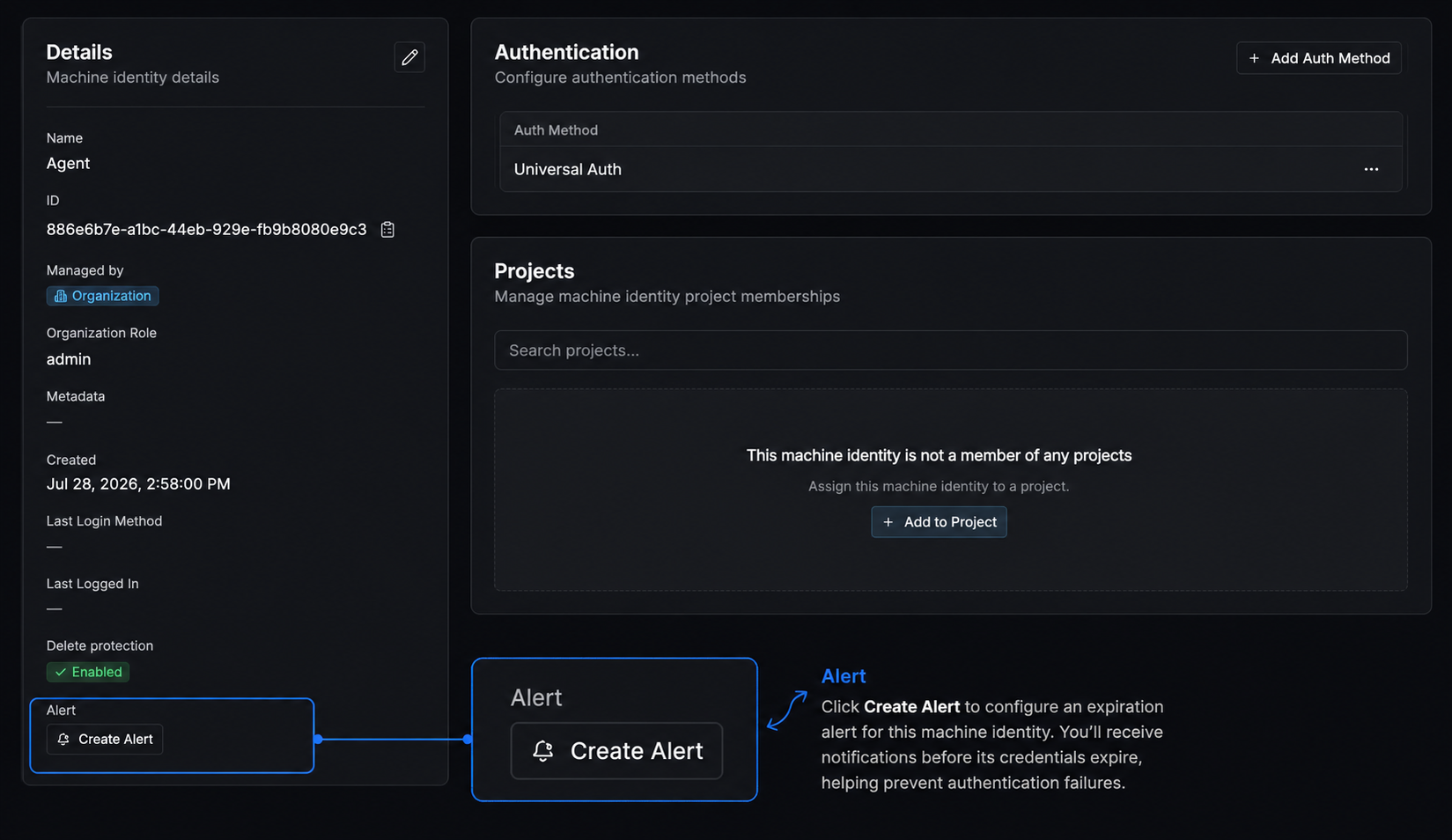
3
Select Add channel and set up at least one notification channel.
4
Select Create Alert.
Manage alerts
Select Alerts on the machine identity to see its alerts. Use the toggle next to an alert to turn it on or off, or open the menu next to the toggle and select Edit or Remove.Notification channels
Each alert sends notifications to between 1 and 10 channels:Webhook payload
Infisical sends each webhook as a CloudEvents 1.0 JSON document. The value of thetype field depends on the event that fired the alert:
com.infisical.identity.authentication.expirationfor credential expirationcom.infisical.identity.authentication.auth-method-changedfor an auth method change
data.items lists each credential that the daily check found:
data.items has one item. Its Change field is one of Added, Updated, Removed, Credential Added, Credential Updated, or Credential Revoked:
Verify webhook signatures
If you set a signing secret on a webhook channel, Infisical signs each request and sends the signature in thex-infisical-signature header:
tis the time Infisical sent the request, as a Unix timestamp in millisecondsv1isHMAC-SHA256("<t>.<raw-request-body>", <signing-secret>), as a hex string
1
Compute the HMAC over the raw request body, not over a copy you parsed and serialized again.
2
Compare the result with
v1.3
Reject the request if
t is older than you allow, such as five minutes.FAQ
Can I use machine identities with the CLI?
Can I use machine identities with the CLI?
Yes. To log in to the CLI as a machine identity, see CLI usage.
What's the difference between a machine identity and a service token?
What's the difference between a machine identity and a service token?
Service tokens are deprecated and will be removed in a future release, so migrate any service tokens you still use to machine identities.Compared with a service token, a machine identity:
- Can call more of the Infisical API
- Uses the same permission system as users
- Supports more auth methods and security settings, such as lockout
Why can't I create, read, update, or delete an identity?
Why can't I create, read, update, or delete an identity?
Infisical blocks the action if:
- Your organization role doesn’t have permission to manage identities
- The identity you’re reading, updating, or deleting has more privileges than you
- The role you’re giving the identity has more privileges than your role
Why didn't I get an alert for a credential expiring in a few hours?
Why didn't I get an alert for a credential expiring in a few hours?
Infisical checks for expiring credentials once a day, so a credential that lasts less than a day can expire before a check finds it. Use expiration alerts for credentials with TTLs of several days or more.
What happens to an alert after I rotate the credential?
What happens to an alert after I rotate the credential?
Nothing changes on the alert. The alert checks the new client secret against the new secret’s TTL, and stops checking the old secret once you revoke it or it expires.
Does the auth method change alert fire when I rotate a client secret?
Does the auth method change alert fire when I rotate a client secret?
Yes. Infisical sends one notification when you create the new client secret and another when you revoke the old one. Each notification names the secret by its description or prefix.