> ## Documentation Index
> Fetch the complete documentation index at: https://infisical.com/docs/llms.txt
> Use this file to discover all available pages before exploring further.
# Infisical
> Learn how to deploy Infisical on Kubernetes using our official Helm chart.
Learn how to deploy **Infisical** on Kubernetes using the official Helm chart. This method is ideal for production environments that require scalability, high availability, and integration with existing Kubernetes infrastructure.
## Prerequisites
* A running Kubernetes cluster (version 1.23+)
* [Helm](https://helm.sh/) package manager (version 3.11.3+)
* [kubectl](https://kubernetes.io/docs/reference/kubectl/) installed and configured to access your cluster
* Basic understanding of Kubernetes concepts (pods, services, secrets, ingress)
This guide assumes familiarity with Kubernetes. If you're new to Kubernetes, consider starting with the [Docker Compose guide](/docs/self-hosting/deployment-options/docker-compose) for simpler deployments.
## System Requirements
The following are minimum requirements for running Infisical on Kubernetes:
| Component | Minimum | Recommended (Production) |
| ------------- | ------- | ------------------------ |
| Nodes | 1 node | 3+ nodes (for HA) |
| CPU per node | 2 cores | 4 cores |
| RAM per node | 4 GB | 8 GB |
| Disk per node | 20 GB | 50 GB+ (SSD recommended) |
**Per-pod resource defaults (configurable in values.yaml):**
| Pod | CPU Request | Memory Limit |
| ---------- | ----------- | ------------ |
| Infisical | 350m | 1000Mi |
| PostgreSQL | 250m | 512Mi |
| Redis | 100m | 256Mi |
For production deployments with many users or secrets, increase these values accordingly.
## Deployment Steps
Create a dedicated namespace for Infisical to isolate resources:
```bash theme={"dark"}
kubectl create namespace infisical
```
All subsequent commands will use this namespace. You can also add `-n infisical` to each kubectl command if you prefer not to set a default context.
Add the Infisical Helm charts repository and update your local cache:
```bash theme={"dark"}
helm repo add infisical-helm-charts 'https://dl.cloudsmith.io/public/infisical/helm-charts/helm/charts/'
helm repo update
```
Infisical requires a Kubernetes secret named `infisical-secrets` containing essential configuration. Create this secret in the same namespace where you'll deploy the chart.
For testing or proof-of-concept deployments, the Helm chart automatically provisions in-cluster PostgreSQL and Redis instances. You only need to provide the core secrets:
```bash theme={"dark"}
kubectl create secret generic infisical-secrets \
--namespace infisical \
--from-literal=AUTH_SECRET="$(openssl rand -base64 32)" \
--from-literal=ENCRYPTION_KEY="$(openssl rand -hex 16)" \
--from-literal=SITE_URL="http://localhost"
```
The in-cluster PostgreSQL and Redis are not configured for high availability. Use this only for testing purposes.
For production environments, use external managed services for PostgreSQL and Redis to ensure high availability:
```bash theme={"dark"}
kubectl create secret generic infisical-secrets \
--namespace infisical \
--from-literal=AUTH_SECRET="$(openssl rand -base64 32)" \
--from-literal=ENCRYPTION_KEY="$(openssl rand -hex 16)" \
--from-literal=DB_CONNECTION_URI="postgresql://user:password@your-postgres-host:5432/infisical" \
--from-literal=REDIS_URL="redis://:password@your-redis-host:6379" \
--from-literal=SITE_URL="https://infisical.example.com"
```
Store your `ENCRYPTION_KEY` securely outside the cluster. Without this key, you cannot decrypt your secrets even if you restore the database.
For AWS RDS with SSL, add the `DB_ROOT_CERT` environment variable. See [environment variables documentation](/docs/self-hosting/configuration/envars#aws-rds) for details.
Create a `values.yaml` file to configure your deployment. Start with a minimal configuration:
```yaml values.yaml theme={"dark"}
infisical:
image:
repository: infisical/infisical
tag: "v0.161.11" # Check https://hub.docker.com/r/infisical/infisical/tags for latest
pullPolicy: IfNotPresent
replicaCount: 2
ingress:
enabled: true
hostName: "infisical.example.com" # Replace with your domain
nginx:
enabled: true # Bundles an ingress-nginx controller with class "infisical-nginx"
```
Do not use the `latest` tag in production. Always pin to a specific version to avoid unexpected changes during upgrades.
The chart bundles its own ingress-nginx controller (class `infisical-nginx`) by default. If you already have an ingress controller, set `ingress.nginx.enabled: false` and `ingress.ingressClassName` to your controller's class.
For all available configuration options, see the [full values.yaml reference](https://raw.githubusercontent.com/Infisical/infisical/main/helm-charts/infisical-standalone-postgres/values.yaml).
Deploy Infisical using Helm:
```bash theme={"dark"}
helm upgrade --install infisical infisical-helm-charts/infisical-standalone \
--namespace infisical \
--values values.yaml
```
This command installs Infisical if it doesn't exist, or upgrades it if it does.
Check that all pods are running:
```bash theme={"dark"}
kubectl get pods -n infisical
```
You should see output similar to:
```
NAME READY STATUS RESTARTS AGE
infisical-5d4f8b7c9-abc12 1/1 Running 0 2m
infisical-5d4f8b7c9-def34 1/1 Running 0 2m
postgresql-0 1/1 Running 0 2m
redis-master-0 1/1 Running 0 2m
```
Verify the ingress is configured:
```bash theme={"dark"}
kubectl get ingress -n infisical
```
Test the health endpoint (port-forward if ingress isn't ready):
```bash theme={"dark"}
kubectl port-forward -n infisical svc/infisical 8080:8080 &
curl http://localhost:8080/api/status
```
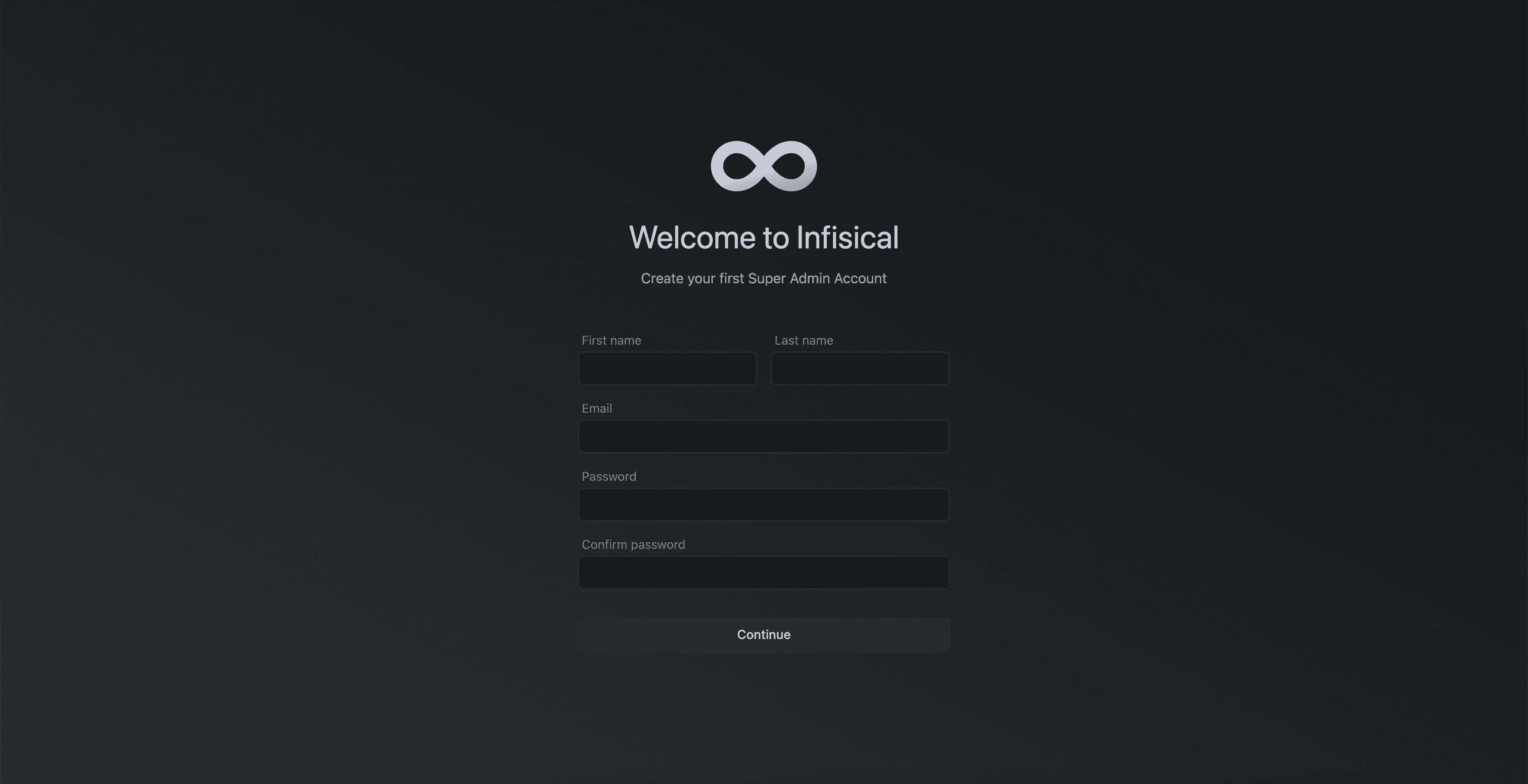
The first user to sign up becomes the instance administrator. Complete this step before exposing Infisical to others.
Your Infisical instance should now be running on Kubernetes. Access it via the ingress hostname you configured, or use `kubectl port-forward` for local testing.
 ## Default Helm Values
```yaml theme={"dark"}
# -- Overrides the default release name
nameOverride: ""
# -- Overrides the full name of the release, affecting resource names
fullnameOverride: ""
infisical:
# -- Enable Infisical chart deployment
enabled: true
# -- Sets the name of the deployment within this chart
name: infisical
autoBootstrap:
# -- Enable auto-bootstrap of the Infisical instance
enabled: false
image:
# -- Infisical Infisical CLI image tag version
tag: "0.41.86"
# -- Template for the data/stringData section of the Kubernetes secret. Available functions: encodeBase64
secretTemplate: '{"data":{"token":"{{.Identity.Credentials.Token}}"}}'
secretDestination:
# -- Name of the bootstrap secret to create in the Kubernetes cluster which will store the formatted root identity credentials
name: "infisical-bootstrap-secret"
# -- Namespace to create the bootstrap secret in. If not provided, the secret will be created in the same namespace as the release.
namespace: "default"
# -- Infisical organization to create in the Infisical instance during auto-bootstrap
organization: "default-org"
credentialSecret:
# -- Name of the Kubernetes secret containing the credentials for the auto-bootstrap workflow
name: "infisical-bootstrap-credentials"
databaseSchemaMigrationJob:
image:
# -- Image repository for migration wait job
repository: ghcr.io/groundnuty/k8s-wait-for
# -- Image tag version
tag: no-root-v2.0
# -- Pulls image only if not present on the node
pullPolicy: IfNotPresent
serviceAccount:
# -- Creates a new service account if true, with necessary permissions for this chart. If false and `serviceAccount.name` is not defined, the chart will attempt to use the Default service account
create: true
# -- Custom annotations for the auto-created service account
annotations: {}
# -- Optional custom service account name, if existing service account is used
name: null
# -- Override for the full name of Infisical resources in this deployment
fullnameOverride: ""
# -- Custom annotations for Infisical pods
podAnnotations: {}
# -- Custom annotations for Infisical deployment
deploymentAnnotations: {}
# -- Number of pod replicas for high availability
replicaCount: 2
image:
# -- Image repository for the Infisical service
repository: infisical/infisical
# -- Specific version tag of the Infisical image. View the latest version here https://hub.docker.com/r/infisical/infisical
tag: "v0.158.0"
# -- Pulls image only if not already present on the node
pullPolicy: IfNotPresent
# -- Secret references for pulling the image, if needed
imagePullSecrets: []
# -- Node affinity settings for pod placement
affinity: {}
# -- Tolerations definitions
tolerations: []
# -- Node selector for pod placement
nodeSelector: {}
# -- Topology spread constraints for multi-zone deployments
# -- Ref: https://kubernetes.io/docs/concepts/workloads/pods/pod-topology-spread-constraints/
topologySpreadConstraints: []
# -- Kubernetes Secret reference containing Infisical root credentials
kubeSecretRef: "infisical-secrets"
service:
# -- Custom annotations for Infisical service
annotations: {}
# -- Service type, can be changed based on exposure needs (e.g., LoadBalancer)
type: ClusterIP
# -- Optional node port for service when using NodePort type
nodePort: ""
# -- Extra environment variables to set on the Infisical container. Useful for setting variables like NODE_EXTRA_CA_CERTS.
# -- Example:
# -- - name: NODE_EXTRA_CA_CERTS
# -- value: /etc/ssl/certs/ca-certificates.crt
extraEnv: []
resources:
limits:
# -- Memory limit for Infisical container
memory: 1000Mi
requests:
# -- CPU request for Infisical container
cpu: 350m
# -- Additional containers to run alongside the Infisical container (sidecars).
# -- Useful for running auxiliary services like HSM PKCS#11 clients.
# -- Example:
# -- - name: hsm-client
# -- image: my-hsm-client:latest
# -- volumeMounts:
# -- - name: pkcs11-socket
# -- mountPath: /var/run/hsm
extraContainers: []
# -- Additional init containers to run before the Infisical container starts.
# -- Example:
# -- - name: wait-for-hsm
# -- image: busybox:latest
# -- command: ['sh', '-c', 'until nc -z hsm-host 9004; do sleep 2; done']
extraInitContainers: []
# -- Additional volumes to attach to the Infisical pods.
# -- Example:
# -- - name: pkcs11-socket
# -- emptyDir: {}
extraVolumes: []
# -- Additional volume mounts for the Infisical container.
# -- Example:
# -- - name: pkcs11-socket
# -- mountPath: /var/run/hsm
extraVolumeMounts: []
ingress:
# -- Enable or disable ingress configuration
enabled: true
# -- Hostname for ingress access, e.g., app.example.com
hostName: ""
# -- Specifies the ingress class. When not set, defaults to "infisical-nginx" if the bundled ingress-nginx is enabled, or "nginx" otherwise.
ingressClassName: ""
nginx:
# -- Enable NGINX-specific settings, if using NGINX ingress controller
enabled: true
# -- Custom annotations for ingress resource
annotations: {}
# -- TLS settings for HTTPS access
tls: []
# -- TLS secret name for HTTPS
# - secretName: letsencrypt-prod
# -- Domain name to associate with the TLS certificate
# hosts:
# - some.domain.com
postgresql:
# -- Enables an in-cluster PostgreSQL deployment. To achieve HA for Postgres, we recommend deploying https://github.com/zalando/postgres-operator instead.
enabled: true
# -- PostgreSQL resource name
name: "postgresql"
# -- Full name override for PostgreSQL resources
fullnameOverride: "postgresql"
image:
# -- Image registry for PostgreSQL
registry: mirror.gcr.io
# -- Image repository for PostgreSQL
repository: bitnamilegacy/postgresql
auth:
# -- Database username for PostgreSQL
username: infisical
# -- Password for PostgreSQL database access
password: root
# -- Database name for Infisical
database: infisicalDB
useExistingPostgresSecret:
# -- Set to true if using an existing Kubernetes secret that contains PostgreSQL connection string
enabled: false
existingConnectionStringSecret:
# -- Kubernetes secret name containing the PostgreSQL connection string
name: ""
# -- Key name in the Kubernetes secret that holds the connection string
key: ""
redis:
# -- Enables an in-cluster Redis deployment
enabled: true
# -- Redis resource name
name: "redis"
# -- Full name override for Redis resources
fullnameOverride: "redis"
image:
# -- Image registry for Redis
registry: mirror.gcr.io
# -- Image repository for Redis
repository: bitnamilegacy/redis
cluster:
# -- Clustered Redis deployment
enabled: false
# -- Requires a password for Redis authentication
usePassword: true
auth:
# -- Redis password
password: "mysecretpassword"
# -- Redis deployment type (e.g., standalone or cluster)
architecture: standalone
# -- Configuration for the bundled ingress-nginx subchart (only applies when ingress.nginx.enabled=true)
ingress-nginx:
controller:
ingressClassResource:
# -- Use a unique IngressClass name so the bundled controller only serves Infisical's Ingress,
# -- not other Ingresses in the cluster that use the common "nginx" class.
name: infisical-nginx
controllerValue: k8s.io/infisical-nginx
# -- Do not set this as the default IngressClass for the cluster
default: false
ingressClass: infisical-nginx
```
## Production Hardening
The PostgreSQL PVC contains all your encrypted secrets. Never delete this PVC unless you intend to lose all data. Always back up before any maintenance operations.
### Additional Configuration
Infisical uses email for user invitations, password resets, and notifications. Add SMTP configuration to your secrets:
```bash theme={"dark"}
kubectl create secret generic infisical-secrets \
--namespace infisical \
--from-literal=AUTH_SECRET="your-auth-secret" \
--from-literal=ENCRYPTION_KEY="your-encryption-key" \
--from-literal=SITE_URL="https://infisical.example.com" \
--from-literal=SMTP_HOST="smtp.example.com" \
--from-literal=SMTP_PORT="587" \
--from-literal=SMTP_USERNAME="your-smtp-username" \
--from-literal=SMTP_PASSWORD="your-smtp-password" \
--from-literal=SMTP_FROM_ADDRESS="infisical@example.com" \
--from-literal=SMTP_FROM_NAME="Infisical" \
--dry-run=client -o yaml | kubectl apply -f -
```
**Common SMTP providers:**
| Provider | Host | Port |
| -------- | ---------------------------------- | ---- |
| AWS SES | email-smtp.\{region}.amazonaws.com | 587 |
| SendGrid | smtp.sendgrid.net | 587 |
| Gmail | smtp.gmail.com | 587 |
After updating secrets, restart the Infisical pods:
```bash theme={"dark"}
kubectl rollout restart deployment/infisical -n infisical
```
To configure a custom domain with HTTPS:
**1. Using cert-manager (recommended):**
First, install cert-manager if not already installed:
```bash theme={"dark"}
kubectl apply -f https://github.com/cert-manager/cert-manager/releases/download/v1.14.0/cert-manager.yaml
```
Create a ClusterIssuer for Let's Encrypt:
```yaml cluster-issuer.yaml theme={"dark"}
apiVersion: cert-manager.io/v1
kind: ClusterIssuer
metadata:
name: letsencrypt-prod
spec:
acme:
server: https://acme-v02.api.letsencrypt.org/directory
email: your-email@example.com
privateKeySecretRef:
name: letsencrypt-prod
solvers:
- http01:
ingress:
class: nginx
```
```bash theme={"dark"}
kubectl apply -f cluster-issuer.yaml
```
Update your `values.yaml`:
```yaml values.yaml theme={"dark"}
ingress:
enabled: true
hostName: "infisical.example.com"
ingressClassName: nginx
annotations:
cert-manager.io/cluster-issuer: "letsencrypt-prod"
tls:
- secretName: infisical-tls
hosts:
- infisical.example.com
```
**2. Using existing TLS certificate:**
Create a TLS secret with your certificate:
```bash theme={"dark"}
kubectl create secret tls infisical-tls \
--namespace infisical \
--cert=path/to/tls.crt \
--key=path/to/tls.key
```
Update your `values.yaml`:
```yaml values.yaml theme={"dark"}
ingress:
enabled: true
hostName: "infisical.example.com"
ingressClassName: nginx
tls:
- secretName: infisical-tls
hosts:
- infisical.example.com
```
Apply the changes:
```bash theme={"dark"}
helm upgrade infisical infisical-helm-charts/infisical-standalone \
--namespace infisical \
--values values.yaml
```
For enhanced security, implement network policies to restrict traffic between pods:
```yaml network-policy.yaml theme={"dark"}
apiVersion: networking.k8s.io/v1
kind: NetworkPolicy
metadata:
name: infisical-network-policy
namespace: infisical
spec:
podSelector:
matchLabels:
component: infisical
policyTypes:
- Ingress
- Egress
ingress:
- from:
- namespaceSelector:
matchLabels:
name: ingress-nginx
ports:
- protocol: TCP
port: 8080
egress:
- to:
- podSelector:
matchLabels:
app.kubernetes.io/name: postgresql
ports:
- protocol: TCP
port: 5432
- to:
- podSelector:
matchLabels:
app.kubernetes.io/name: redis
ports:
- protocol: TCP
port: 6379
- to:
- namespaceSelector: {}
podSelector:
matchLabels:
k8s-app: kube-dns
ports:
- protocol: UDP
port: 53
- to:
- ipBlock:
cidr: 0.0.0.0/0
ports:
- protocol: TCP
port: 443
- protocol: TCP
port: 587
```
```bash theme={"dark"}
kubectl apply -f network-policy.yaml
```
Network policies require a CNI plugin that supports them (e.g., Calico, Cilium, Weave Net). Verify your cluster supports network policies before applying.
For production, use external managed services instead of in-cluster databases.
**Disable in-cluster databases in values.yaml:**
```yaml values.yaml theme={"dark"}
postgresql:
enabled: false
redis:
enabled: false
```
**Add connection strings to your secrets:**
```bash theme={"dark"}
kubectl create secret generic infisical-secrets \
--namespace infisical \
--from-literal=AUTH_SECRET="your-auth-secret" \
--from-literal=ENCRYPTION_KEY="your-encryption-key" \
--from-literal=DB_CONNECTION_URI="postgresql://user:password@your-rds-endpoint:5432/infisical?sslmode=require" \
--from-literal=REDIS_URL="rediss://:password@your-elasticache-endpoint:6379" \
--from-literal=SITE_URL="https://infisical.example.com" \
--dry-run=client -o yaml | kubectl apply -f -
```
**Recommended managed services:**
| Cloud | PostgreSQL | Redis |
| ----- | ----------------------------- | --------------------- |
| AWS | RDS for PostgreSQL | ElastiCache |
| GCP | Cloud SQL | Memorystore |
| Azure | Azure Database for PostgreSQL | Azure Cache for Redis |
Infisical exposes Prometheus metrics when enabled.
**1. Add telemetry configuration to your secrets:**
Include these in your `infisical-secrets`:
```bash theme={"dark"}
--from-literal=OTEL_TELEMETRY_COLLECTION_ENABLED="true" \
--from-literal=OTEL_EXPORT_TYPE="prometheus"
```
**2. Create a ServiceMonitor (if using Prometheus Operator):**
```yaml servicemonitor.yaml theme={"dark"}
apiVersion: monitoring.coreos.com/v1
kind: ServiceMonitor
metadata:
name: infisical
namespace: infisical
spec:
selector:
matchLabels:
component: infisical
endpoints:
- port: metrics
interval: 30s
```
```bash theme={"dark"}
kubectl apply -f servicemonitor.yaml
```
See the [Monitoring Guide](/docs/self-hosting/guides/monitoring-telemetry) for full setup instructions.
For production high availability:
**1. Multiple Infisical replicas:**
```yaml values.yaml theme={"dark"}
infisical:
replicaCount: 3
topologySpreadConstraints:
- maxSkew: 1
topologyKey: topology.kubernetes.io/zone
whenUnsatisfiable: ScheduleAnyway
labelSelector:
matchLabels:
component: infisical
```
**2. Pod Disruption Budget:**
```yaml pdb.yaml theme={"dark"}
apiVersion: policy/v1
kind: PodDisruptionBudget
metadata:
name: infisical-pdb
namespace: infisical
spec:
minAvailable: 1
selector:
matchLabels:
component: infisical
```
```bash theme={"dark"}
kubectl apply -f pdb.yaml
```
**3. External HA database:**
Use managed PostgreSQL with multi-AZ deployment (e.g., AWS RDS Multi-AZ, GCP Cloud SQL HA).
**4. External HA Redis:**
Use managed Redis with replication (e.g., AWS ElastiCache with cluster mode, GCP Memorystore).
## Default Helm Values
```yaml theme={"dark"}
# -- Overrides the default release name
nameOverride: ""
# -- Overrides the full name of the release, affecting resource names
fullnameOverride: ""
infisical:
# -- Enable Infisical chart deployment
enabled: true
# -- Sets the name of the deployment within this chart
name: infisical
autoBootstrap:
# -- Enable auto-bootstrap of the Infisical instance
enabled: false
image:
# -- Infisical Infisical CLI image tag version
tag: "0.41.86"
# -- Template for the data/stringData section of the Kubernetes secret. Available functions: encodeBase64
secretTemplate: '{"data":{"token":"{{.Identity.Credentials.Token}}"}}'
secretDestination:
# -- Name of the bootstrap secret to create in the Kubernetes cluster which will store the formatted root identity credentials
name: "infisical-bootstrap-secret"
# -- Namespace to create the bootstrap secret in. If not provided, the secret will be created in the same namespace as the release.
namespace: "default"
# -- Infisical organization to create in the Infisical instance during auto-bootstrap
organization: "default-org"
credentialSecret:
# -- Name of the Kubernetes secret containing the credentials for the auto-bootstrap workflow
name: "infisical-bootstrap-credentials"
databaseSchemaMigrationJob:
image:
# -- Image repository for migration wait job
repository: ghcr.io/groundnuty/k8s-wait-for
# -- Image tag version
tag: no-root-v2.0
# -- Pulls image only if not present on the node
pullPolicy: IfNotPresent
serviceAccount:
# -- Creates a new service account if true, with necessary permissions for this chart. If false and `serviceAccount.name` is not defined, the chart will attempt to use the Default service account
create: true
# -- Custom annotations for the auto-created service account
annotations: {}
# -- Optional custom service account name, if existing service account is used
name: null
# -- Override for the full name of Infisical resources in this deployment
fullnameOverride: ""
# -- Custom annotations for Infisical pods
podAnnotations: {}
# -- Custom annotations for Infisical deployment
deploymentAnnotations: {}
# -- Number of pod replicas for high availability
replicaCount: 2
image:
# -- Image repository for the Infisical service
repository: infisical/infisical
# -- Specific version tag of the Infisical image. View the latest version here https://hub.docker.com/r/infisical/infisical
tag: "v0.158.0"
# -- Pulls image only if not already present on the node
pullPolicy: IfNotPresent
# -- Secret references for pulling the image, if needed
imagePullSecrets: []
# -- Node affinity settings for pod placement
affinity: {}
# -- Tolerations definitions
tolerations: []
# -- Node selector for pod placement
nodeSelector: {}
# -- Topology spread constraints for multi-zone deployments
# -- Ref: https://kubernetes.io/docs/concepts/workloads/pods/pod-topology-spread-constraints/
topologySpreadConstraints: []
# -- Kubernetes Secret reference containing Infisical root credentials
kubeSecretRef: "infisical-secrets"
service:
# -- Custom annotations for Infisical service
annotations: {}
# -- Service type, can be changed based on exposure needs (e.g., LoadBalancer)
type: ClusterIP
# -- Optional node port for service when using NodePort type
nodePort: ""
# -- Extra environment variables to set on the Infisical container. Useful for setting variables like NODE_EXTRA_CA_CERTS.
# -- Example:
# -- - name: NODE_EXTRA_CA_CERTS
# -- value: /etc/ssl/certs/ca-certificates.crt
extraEnv: []
resources:
limits:
# -- Memory limit for Infisical container
memory: 1000Mi
requests:
# -- CPU request for Infisical container
cpu: 350m
# -- Additional containers to run alongside the Infisical container (sidecars).
# -- Useful for running auxiliary services like HSM PKCS#11 clients.
# -- Example:
# -- - name: hsm-client
# -- image: my-hsm-client:latest
# -- volumeMounts:
# -- - name: pkcs11-socket
# -- mountPath: /var/run/hsm
extraContainers: []
# -- Additional init containers to run before the Infisical container starts.
# -- Example:
# -- - name: wait-for-hsm
# -- image: busybox:latest
# -- command: ['sh', '-c', 'until nc -z hsm-host 9004; do sleep 2; done']
extraInitContainers: []
# -- Additional volumes to attach to the Infisical pods.
# -- Example:
# -- - name: pkcs11-socket
# -- emptyDir: {}
extraVolumes: []
# -- Additional volume mounts for the Infisical container.
# -- Example:
# -- - name: pkcs11-socket
# -- mountPath: /var/run/hsm
extraVolumeMounts: []
ingress:
# -- Enable or disable ingress configuration
enabled: true
# -- Hostname for ingress access, e.g., app.example.com
hostName: ""
# -- Specifies the ingress class. When not set, defaults to "infisical-nginx" if the bundled ingress-nginx is enabled, or "nginx" otherwise.
ingressClassName: ""
nginx:
# -- Enable NGINX-specific settings, if using NGINX ingress controller
enabled: true
# -- Custom annotations for ingress resource
annotations: {}
# -- TLS settings for HTTPS access
tls: []
# -- TLS secret name for HTTPS
# - secretName: letsencrypt-prod
# -- Domain name to associate with the TLS certificate
# hosts:
# - some.domain.com
postgresql:
# -- Enables an in-cluster PostgreSQL deployment. To achieve HA for Postgres, we recommend deploying https://github.com/zalando/postgres-operator instead.
enabled: true
# -- PostgreSQL resource name
name: "postgresql"
# -- Full name override for PostgreSQL resources
fullnameOverride: "postgresql"
image:
# -- Image registry for PostgreSQL
registry: mirror.gcr.io
# -- Image repository for PostgreSQL
repository: bitnamilegacy/postgresql
auth:
# -- Database username for PostgreSQL
username: infisical
# -- Password for PostgreSQL database access
password: root
# -- Database name for Infisical
database: infisicalDB
useExistingPostgresSecret:
# -- Set to true if using an existing Kubernetes secret that contains PostgreSQL connection string
enabled: false
existingConnectionStringSecret:
# -- Kubernetes secret name containing the PostgreSQL connection string
name: ""
# -- Key name in the Kubernetes secret that holds the connection string
key: ""
redis:
# -- Enables an in-cluster Redis deployment
enabled: true
# -- Redis resource name
name: "redis"
# -- Full name override for Redis resources
fullnameOverride: "redis"
image:
# -- Image registry for Redis
registry: mirror.gcr.io
# -- Image repository for Redis
repository: bitnamilegacy/redis
cluster:
# -- Clustered Redis deployment
enabled: false
# -- Requires a password for Redis authentication
usePassword: true
auth:
# -- Redis password
password: "mysecretpassword"
# -- Redis deployment type (e.g., standalone or cluster)
architecture: standalone
# -- Configuration for the bundled ingress-nginx subchart (only applies when ingress.nginx.enabled=true)
ingress-nginx:
controller:
ingressClassResource:
# -- Use a unique IngressClass name so the bundled controller only serves Infisical's Ingress,
# -- not other Ingresses in the cluster that use the common "nginx" class.
name: infisical-nginx
controllerValue: k8s.io/infisical-nginx
# -- Do not set this as the default IngressClass for the cluster
default: false
ingressClass: infisical-nginx
```
## Production Hardening
The PostgreSQL PVC contains all your encrypted secrets. Never delete this PVC unless you intend to lose all data. Always back up before any maintenance operations.
### Additional Configuration
Infisical uses email for user invitations, password resets, and notifications. Add SMTP configuration to your secrets:
```bash theme={"dark"}
kubectl create secret generic infisical-secrets \
--namespace infisical \
--from-literal=AUTH_SECRET="your-auth-secret" \
--from-literal=ENCRYPTION_KEY="your-encryption-key" \
--from-literal=SITE_URL="https://infisical.example.com" \
--from-literal=SMTP_HOST="smtp.example.com" \
--from-literal=SMTP_PORT="587" \
--from-literal=SMTP_USERNAME="your-smtp-username" \
--from-literal=SMTP_PASSWORD="your-smtp-password" \
--from-literal=SMTP_FROM_ADDRESS="infisical@example.com" \
--from-literal=SMTP_FROM_NAME="Infisical" \
--dry-run=client -o yaml | kubectl apply -f -
```
**Common SMTP providers:**
| Provider | Host | Port |
| -------- | ---------------------------------- | ---- |
| AWS SES | email-smtp.\{region}.amazonaws.com | 587 |
| SendGrid | smtp.sendgrid.net | 587 |
| Gmail | smtp.gmail.com | 587 |
After updating secrets, restart the Infisical pods:
```bash theme={"dark"}
kubectl rollout restart deployment/infisical -n infisical
```
To configure a custom domain with HTTPS:
**1. Using cert-manager (recommended):**
First, install cert-manager if not already installed:
```bash theme={"dark"}
kubectl apply -f https://github.com/cert-manager/cert-manager/releases/download/v1.14.0/cert-manager.yaml
```
Create a ClusterIssuer for Let's Encrypt:
```yaml cluster-issuer.yaml theme={"dark"}
apiVersion: cert-manager.io/v1
kind: ClusterIssuer
metadata:
name: letsencrypt-prod
spec:
acme:
server: https://acme-v02.api.letsencrypt.org/directory
email: your-email@example.com
privateKeySecretRef:
name: letsencrypt-prod
solvers:
- http01:
ingress:
class: nginx
```
```bash theme={"dark"}
kubectl apply -f cluster-issuer.yaml
```
Update your `values.yaml`:
```yaml values.yaml theme={"dark"}
ingress:
enabled: true
hostName: "infisical.example.com"
ingressClassName: nginx
annotations:
cert-manager.io/cluster-issuer: "letsencrypt-prod"
tls:
- secretName: infisical-tls
hosts:
- infisical.example.com
```
**2. Using existing TLS certificate:**
Create a TLS secret with your certificate:
```bash theme={"dark"}
kubectl create secret tls infisical-tls \
--namespace infisical \
--cert=path/to/tls.crt \
--key=path/to/tls.key
```
Update your `values.yaml`:
```yaml values.yaml theme={"dark"}
ingress:
enabled: true
hostName: "infisical.example.com"
ingressClassName: nginx
tls:
- secretName: infisical-tls
hosts:
- infisical.example.com
```
Apply the changes:
```bash theme={"dark"}
helm upgrade infisical infisical-helm-charts/infisical-standalone \
--namespace infisical \
--values values.yaml
```
For enhanced security, implement network policies to restrict traffic between pods:
```yaml network-policy.yaml theme={"dark"}
apiVersion: networking.k8s.io/v1
kind: NetworkPolicy
metadata:
name: infisical-network-policy
namespace: infisical
spec:
podSelector:
matchLabels:
component: infisical
policyTypes:
- Ingress
- Egress
ingress:
- from:
- namespaceSelector:
matchLabels:
name: ingress-nginx
ports:
- protocol: TCP
port: 8080
egress:
- to:
- podSelector:
matchLabels:
app.kubernetes.io/name: postgresql
ports:
- protocol: TCP
port: 5432
- to:
- podSelector:
matchLabels:
app.kubernetes.io/name: redis
ports:
- protocol: TCP
port: 6379
- to:
- namespaceSelector: {}
podSelector:
matchLabels:
k8s-app: kube-dns
ports:
- protocol: UDP
port: 53
- to:
- ipBlock:
cidr: 0.0.0.0/0
ports:
- protocol: TCP
port: 443
- protocol: TCP
port: 587
```
```bash theme={"dark"}
kubectl apply -f network-policy.yaml
```
Network policies require a CNI plugin that supports them (e.g., Calico, Cilium, Weave Net). Verify your cluster supports network policies before applying.
For production, use external managed services instead of in-cluster databases.
**Disable in-cluster databases in values.yaml:**
```yaml values.yaml theme={"dark"}
postgresql:
enabled: false
redis:
enabled: false
```
**Add connection strings to your secrets:**
```bash theme={"dark"}
kubectl create secret generic infisical-secrets \
--namespace infisical \
--from-literal=AUTH_SECRET="your-auth-secret" \
--from-literal=ENCRYPTION_KEY="your-encryption-key" \
--from-literal=DB_CONNECTION_URI="postgresql://user:password@your-rds-endpoint:5432/infisical?sslmode=require" \
--from-literal=REDIS_URL="rediss://:password@your-elasticache-endpoint:6379" \
--from-literal=SITE_URL="https://infisical.example.com" \
--dry-run=client -o yaml | kubectl apply -f -
```
**Recommended managed services:**
| Cloud | PostgreSQL | Redis |
| ----- | ----------------------------- | --------------------- |
| AWS | RDS for PostgreSQL | ElastiCache |
| GCP | Cloud SQL | Memorystore |
| Azure | Azure Database for PostgreSQL | Azure Cache for Redis |
Infisical exposes Prometheus metrics when enabled.
**1. Add telemetry configuration to your secrets:**
Include these in your `infisical-secrets`:
```bash theme={"dark"}
--from-literal=OTEL_TELEMETRY_COLLECTION_ENABLED="true" \
--from-literal=OTEL_EXPORT_TYPE="prometheus"
```
**2. Create a ServiceMonitor (if using Prometheus Operator):**
```yaml servicemonitor.yaml theme={"dark"}
apiVersion: monitoring.coreos.com/v1
kind: ServiceMonitor
metadata:
name: infisical
namespace: infisical
spec:
selector:
matchLabels:
component: infisical
endpoints:
- port: metrics
interval: 30s
```
```bash theme={"dark"}
kubectl apply -f servicemonitor.yaml
```
See the [Monitoring Guide](/docs/self-hosting/guides/monitoring-telemetry) for full setup instructions.
For production high availability:
**1. Multiple Infisical replicas:**
```yaml values.yaml theme={"dark"}
infisical:
replicaCount: 3
topologySpreadConstraints:
- maxSkew: 1
topologyKey: topology.kubernetes.io/zone
whenUnsatisfiable: ScheduleAnyway
labelSelector:
matchLabels:
component: infisical
```
**2. Pod Disruption Budget:**
```yaml pdb.yaml theme={"dark"}
apiVersion: policy/v1
kind: PodDisruptionBudget
metadata:
name: infisical-pdb
namespace: infisical
spec:
minAvailable: 1
selector:
matchLabels:
component: infisical
```
```bash theme={"dark"}
kubectl apply -f pdb.yaml
```
**3. External HA database:**
Use managed PostgreSQL with multi-AZ deployment (e.g., AWS RDS Multi-AZ, GCP Cloud SQL HA).
**4. External HA Redis:**
Use managed Redis with replication (e.g., AWS ElastiCache with cluster mode, GCP Memorystore).